Clock
Loader and Clock - Schematics - The HLT Instruction - Useful Links
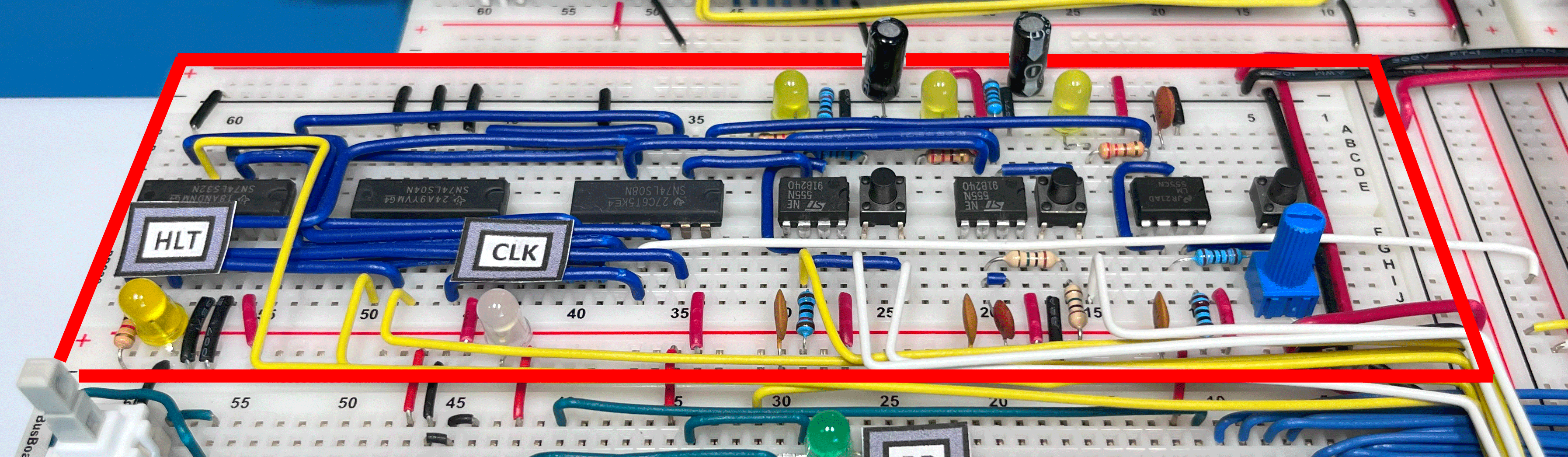
The BEAM computer clock module follows the design created by Ben Eater for the SAP-1 computer, but it uses tactile push buttons instead of slide switches and adds some interaction with external control signals coming from the Loader.
- The first 555 is used as an astable oscillator, with the frequency of operation selectable via a potentiometer. A “Turbo” button temporarily bypasses the potentiometer’s resistance, bringing the clock frequency to its maximum value. When running low-speed clock programs for visual analysis of outputs, this button acts like a “Fast Forward.”
- The second 555 in monostable mode executes individual micro-operations (“Step”).
- The third 555 in bistable mode starts and stops the first 555’s clock using a convenient “Start/Stop” button, instead of a switch as in the SAP-1 circuit.
Pressing the Step button during normal operation (astable mode) halts the computer at the current microinstruction and allows proceeding in “Step by Step” mode by repeatedly pressing the same button. Pressing the Start/Stop button resumes normal operation with the astable clock.
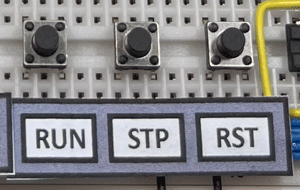
The Start/Stop and Step buttons have also been duplicated in a more easily accessible area of the computer, specifically under the Control Logic. In this location, a Reset button has also been included.
[ ]
]
Loader and Clock
On the clock module, there are three signals coming from the Loader based on Arduino: LDR-Active, LDR-CLK, and CLK-Start.
The LDR-Active signal, when set to HI, allows the Loader to take control of the clock circuit, completely disabling its output and halting the program execution. In this case, the Loader can inject its clock signal LDR-CLK into the computer.
The CLK-Start signal is used by the Loader at the end of the programming process to reactivate the clock module and start the freshly loaded program.
Schematics
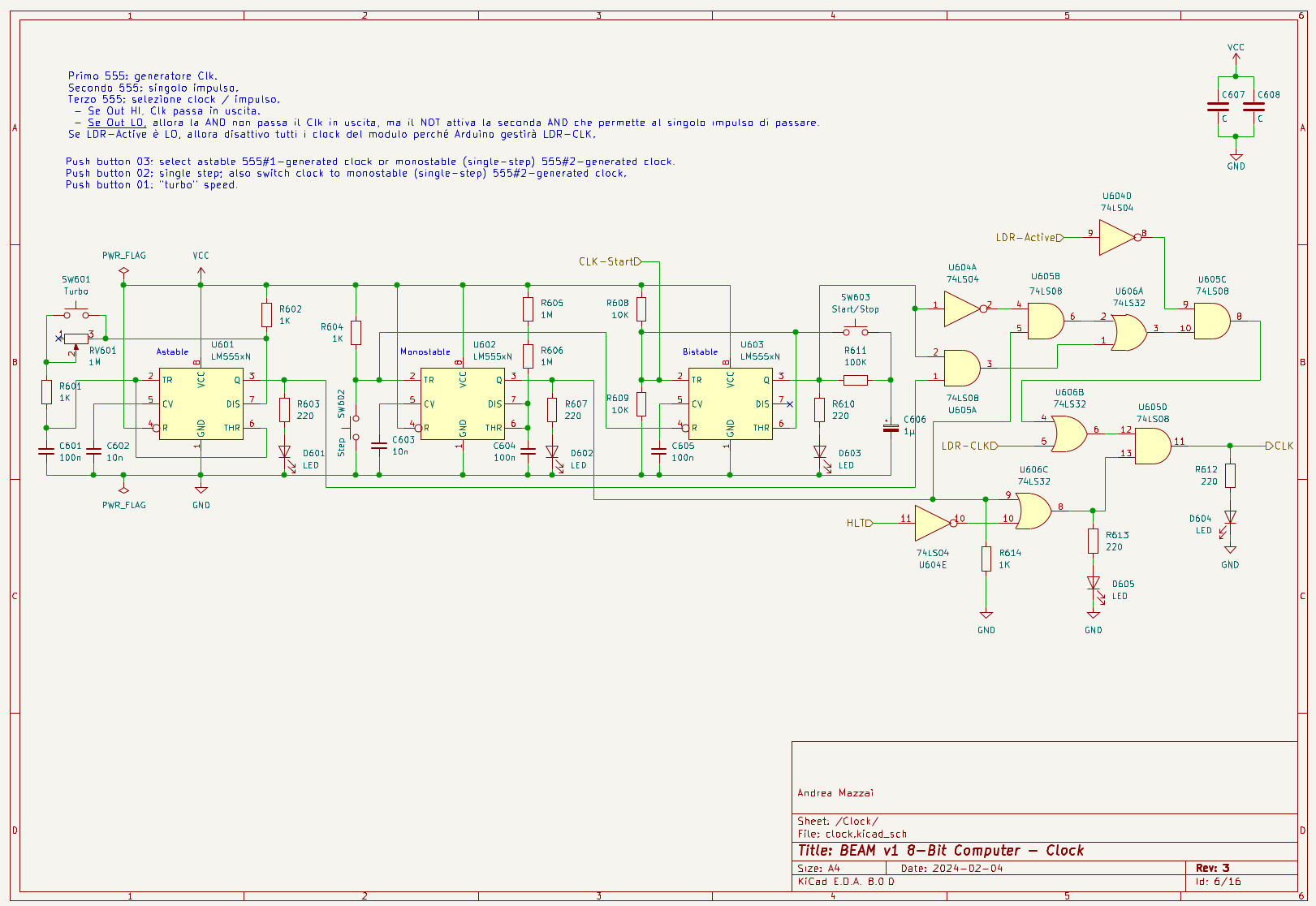
Clock Module Schematic.
The HLT Instruction
The microcode for the HLT instruction activates the corresponding signal on the clock module, halting the execution of the program. To resume operation in continuous clock mode, the current microinstruction must be bypassed by pressing the Step button. At this point, the program execution can be restarted using the Start/Stop button.