Build notes
Components - LED - Miscellaneous - Breadboard and Wires - Power Supply - Test Circuit
Some general notes on the construction of the BEAM computer.
Components
Almost all the components used in this project were purchased from Mouser.com. The costs were in line with other platforms, but shipping and customs duties were covered by Mouser for orders over €100. Shipping from the United States to Italy was very fast; I received all orders within two business days.
LED
For convenience, the single red, yellow, and green LEDs used in the BEAM computer come with an internal resistor that allows for direct connection to 5V and, thus, directly to TTL logic outputs. They were available at Mouser for about 20/25 cents each for quantities of 10 or more.
For space reasons, the single LEDs were not included in the Kicad schematics.
Lastly, since Kicad symbols only include 10-LED BARs, in cases where not all 10 LEDs are needed, some of them appear disconnected.
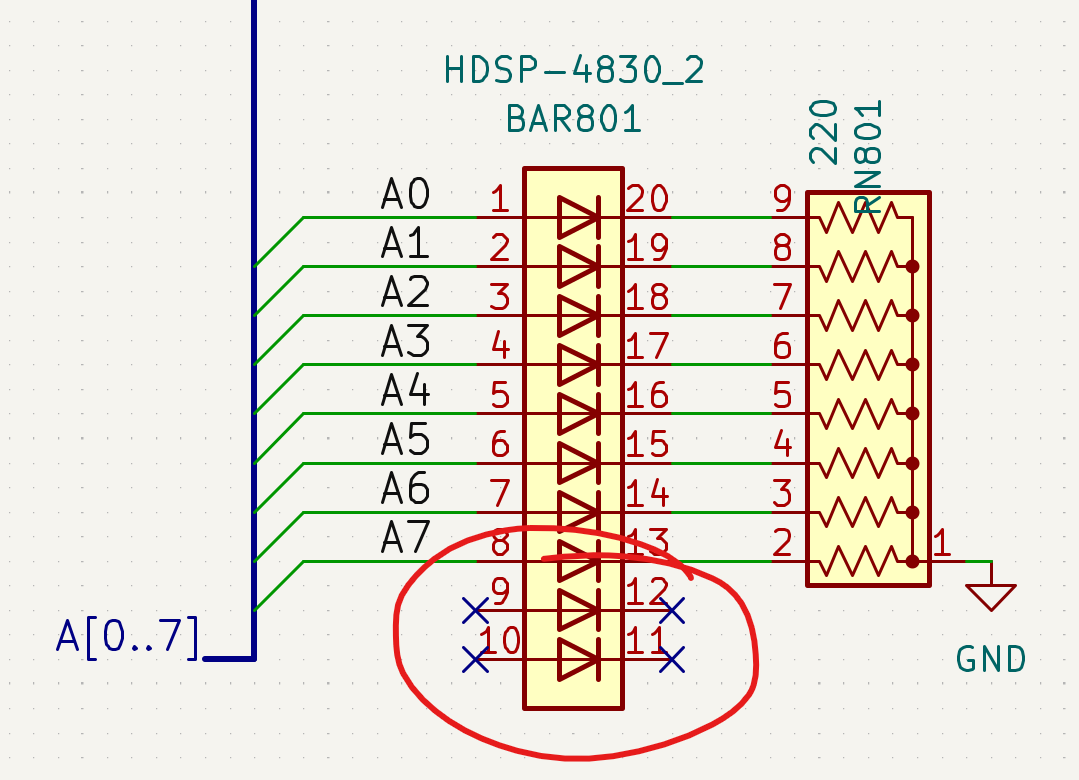
LED BAR with 2 disconnected LEDs.
Miscellaneous
Instead of the more common dip-switches, I used very convenient Rocker Switches (like the one in the image) in the MAR and RAM modules; sthey are easily available from electronic component distributors. Note that the original pins are quite short and don’t secure the switch properly to the breadboard, so I added a socket for integrated circuits.

Rocker Switch.
Breadboard and Wires
The breadboards used are the BB830, which are also included in Ben Eater’s kits. The quality of the contacts is significantly higher than that of the cheap breadboards found online for just a few Euros. The additional cost is well worth it, as it eliminates the need to worry about false connections and the consequent issues that are often difficult to identify.
For the wires, I also relied on the excellent AWG22 that I discovered with Ben Eater’s kits for the 8-bit SAP computer and the 6502 computer.
The advantage of these wires over other AWG22 ones I found (and tried) is the thinner insulation, which allows for greater wiring density. Unfortunately, I couldn’t find them in Europe or on Mouser, so I had to order them from Jameco, bearing the additional cost of shipping and customs. On the other hand, the AWG22 wires sold by Amazon, although listed in Ben Eater’s parts list, have thicker insulation which, in my opinion, is less suitable.
Power Supply
Reading the experiences of other users on reddit, it seems that power supply issues are quite common. The FAQ and other documents written by users provide excellent tips and help address power distribution issues. As for me, after starting with a simple lateral distribution like I did for the SAP-1, I added a power line in the center of the computer by inserting an additional row of lateral sections cut from the breadboards.
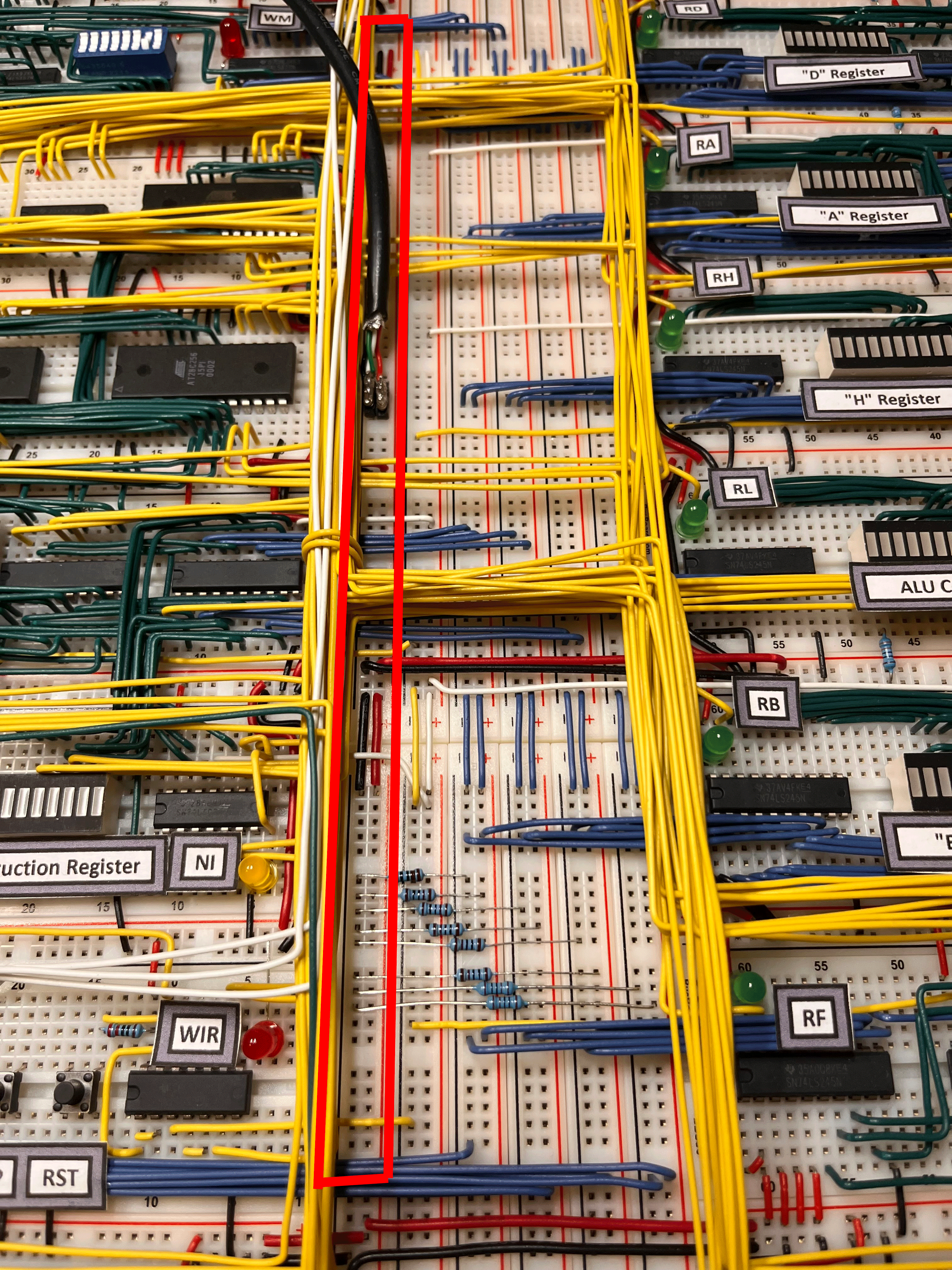
As can be seen in the pictures, I did not use capacitors in the BEAM, just like I did not use them in the SAP-1: I relied on the extremely low frequency of the computer’s operation, and I must say that both systems are stable.
Finally, in my builds, I noticed that TTL chips seem to tolerate lower voltages than those specified in the datasheets. In some cases, before improving the power distribution with the central bus described earlier, some chips worked fine even at 4.3 volts.
Test Circuit
Instead of using jumper wires and temporary LEDs to set and display inputs and outputs on the bus and on the modules under construction, I built a simple test circuit, which proved to be particularly useful for speeding up tests and troubleshooting phases.
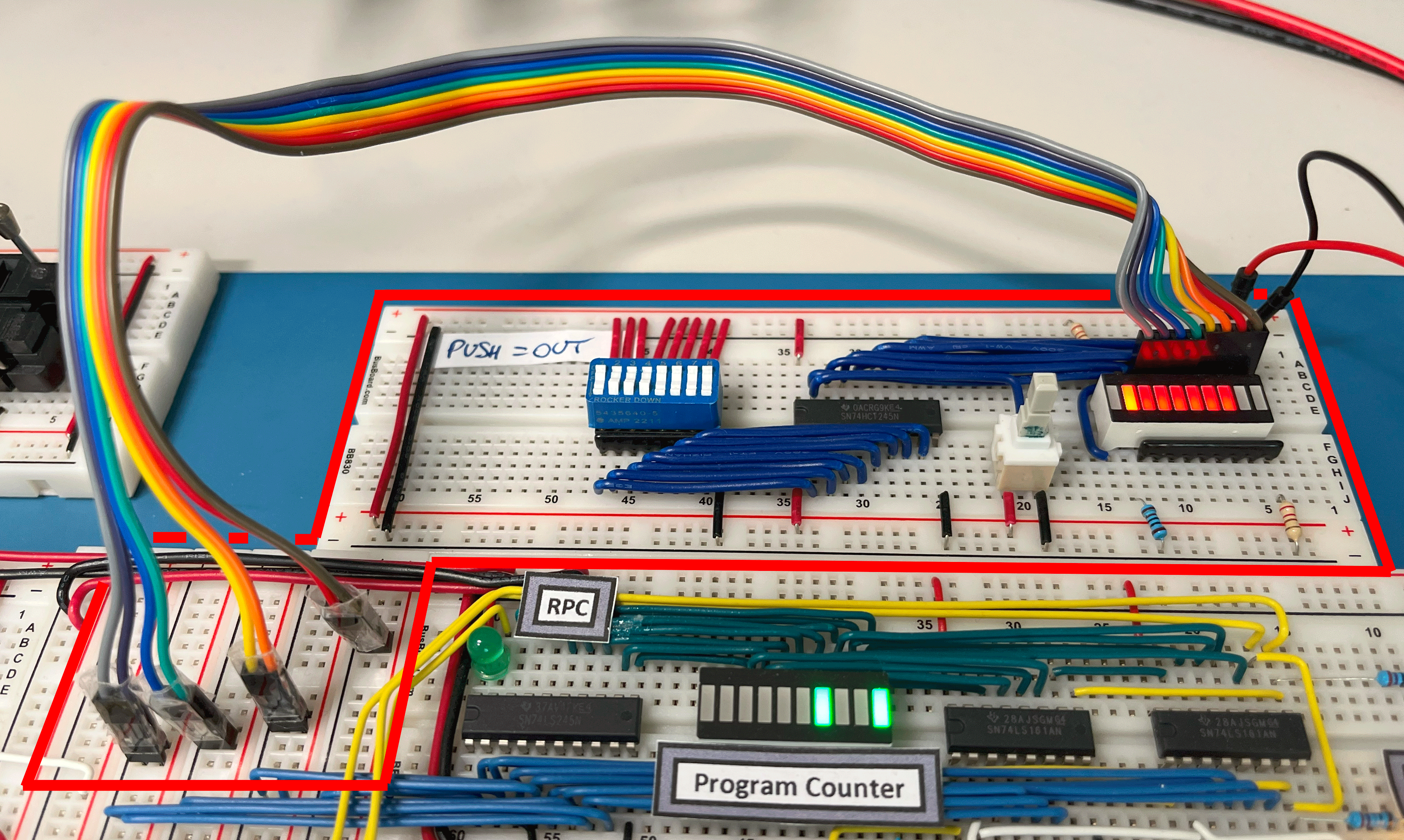
Test Module for Reading from the Bus.
With the switch pressed, an output corresponding to the bits set on the rocker switch is emitted, while releasing the switch allows the input signals to be displayed on the LED bar. The first two LEDs on the left represent the setting of the circuit in either output or input mode.

Test module schematic.